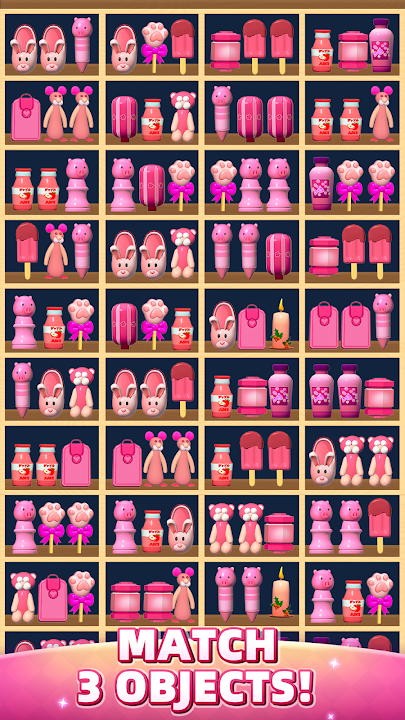
Goods Match 3D - Brain Games是Higgs Studio開發的一款休閒遊戲,雷電模擬器是在電腦上玩Goods Match 3D - Brain Games的最佳平台,可提供強大的功能幫助你在Goods Match 3D - Brain Games中獲得沉浸式的體驗。
當你在電腦上玩Goods Match 3D - Brain Games的時候,如果你覺得重複執行一個動作或任務很費時間很無聊,別擔心,巨集指令功能可以幫你解決你的煩惱!你只需要點擊螢幕記錄功能來記錄你的操作,然後把它留給巨集指令來解決。巨集指令功能完全自動化您的操作,讓您以最少的努力輕鬆贏得遊戲!!現在就開始在電腦上下載和玩Goods Match 3D - Brain Games吧!
Have you ever fantasized about spending at the supermarket? How much can you take away in a limited time? Goods Match 3D, can you take all the snacks, chips, drinks, chocolates from the shelves? Is this just the content? Of course not, come and experience the fun of the level and unlock more interesting 3D items.✨Game Features✨
*More than 1000+ levels
*Hyperrealistic 3d items: CHIP,SNACKS,🍭DRINKS,COCONUT FLAKES🍪,SODA🍪 and so on..
*Simple gameplay
*Generous props and gold coin rewards
*Realistic scene changes
*Easy and relaxing time killer game
*Super boosters and hints to help you pass hard levels
*Is it over? There are many more waiting for you to feedback to other guys in the comments!!
How to play
- Tap same 3d items to shopping cart
* 3 of same items will be cleared
* Enjoy fun match 3d game and great features like skill card collections
* Complete the different missions and win great rewards
* ATTENTION! Each level has a timer, so you must move fast & reach the level goal!
* Use the boosters to help you pass tricky levels
If you've seen it all, don't hesitate to try it out and you'll be addicted to Goods Match 3D! I promise🧸