Chameleon Escape: Hide & Seek是Flynt Games開發的一款角色扮演遊戲,雷電模擬器是在電腦上玩Chameleon Escape: Hide & Seek的最佳平台,可提供強大的功能幫助你在Chameleon Escape: Hide & Seek中獲得沉浸式的體驗。
當你在電腦上玩Chameleon Escape: Hide & Seek的時候,作為一個想要運行新帳號的初始玩家,多開和同步器功能對於首抽是非常有用的。你可以使用他們去複製多個模擬器然後開始同步過程。綁定您的帳號直到您抽到喜歡的英雄。
此外,操作錄製對於那些需要你升級和完成任務的遊戲是一個很棒的選擇!運行同步器並錄製您的操作,然後即時地重複主實例的操作。通過這樣做,您可以同時執行2個或更多的帳戶。你可以總在其他人之前得到你想要的英雄!這要歸功於更快的刷初始和更省時的召喚!現在就開始在電腦上下載和玩Chameleon Escape: Hide & Seek吧!
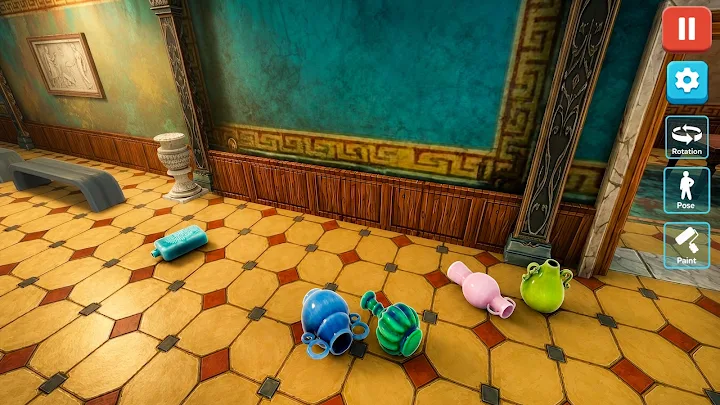
Paint Hide & Seek Challenge is a colorful hide and seek game where your creativity is the key to victory. Paint your character, match the environment, and stay perfectly still to avoid being found by the seeker.Each level presents a new scene where you'll need to choose the right colors, blend into your surroundings, and find the perfect hiding spot. The better your camouflage, the longer you can stay hidden and complete the challenge.
Game Features
🎨 Paint your character with different colors.
👀 Blend into the environment using smart camouflage.
🙈 Hide from the seeker and avoid being discovered.
🌈 Explore colorful levels with unique hiding spots.
🧩 Test your observation and timing skills.
🎮 Easy one-touch controls and smooth gameplay.
⭐ Complete increasingly challenging hide-and-seek levels.
🏆 Unlock new stages and improve your hiding strategy.
Can you paint, blend, and hide well enough to fool every seeker? Jump into the Paint Hide & Seek Challenge and put your camouflage skills to the test!