首頁/

遊戲/

教育/

Zuzu's Bananas

Zuzu's Bananas
3.05+

Zuzu's Bananas

猴學前教育已經香蕉!多彩集合超過50古怪的遊戲。

使用雷電模擬器在PC電腦上暢玩
recommend
THUP Games
如何在電腦上下載Zuzu's Bananas
近期更新: 2026-02-02
com.thup.bananas
分享:
  • 概述

  • FAQ

使用雷電模擬器在電腦上玩Zuzu's Bananas

Zuzu's Bananas是THUP Games開發的一款能夠在行動裝置上運行的教育應用程式,但使用最好的Android 模擬器-雷電模擬器 ,你可以在電腦上下載並暢玩Zuzu's Bananas。

在電腦上運行Zuzu's Bananas,您可以在大螢幕上清晰地瀏覽, 而用滑鼠和鍵盤操控應用程式比用觸摸屏鍵盤要快得多,同時你將永遠不必擔心設備的電量問題。

通過多開和同步功能,你甚至可以在PC上運行多個應用程式和帳戶。

而文件互傳功能讓分享圖像、影片和文件也變得非常容易。

下載Zuzu's Bananas並在PC上運行。享受PC端的大螢幕和高畫質畫質吧!

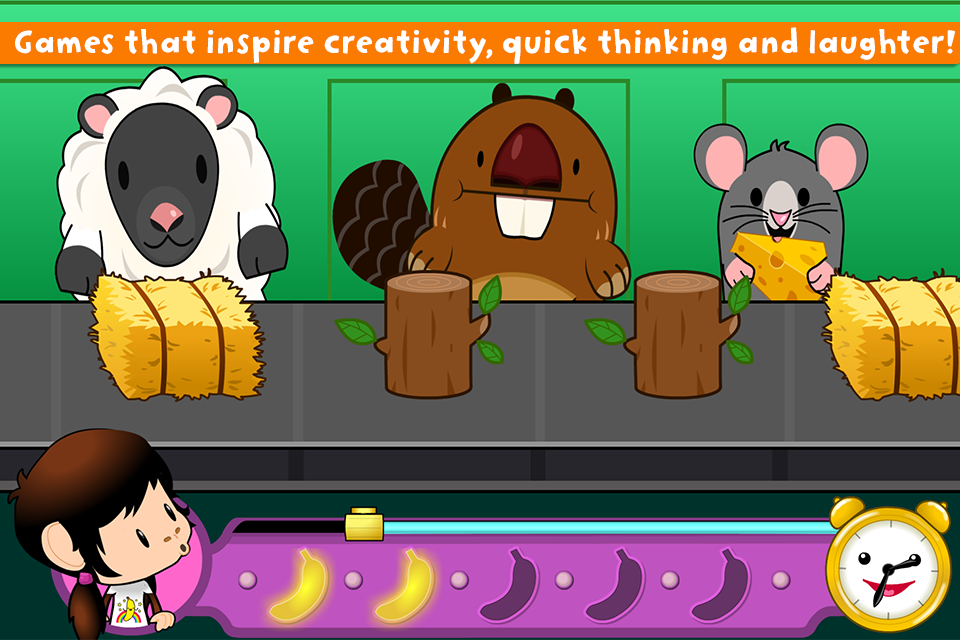
Monkey Preschool has gone bananas! Join Zuzu, Mr. Clocks and a bunch of dancing bananas in a colorful collection of over 50 wacky games and surprising puzzles. Starring an enormous cast of lovable characters, Zuzu’s Bananas is a free-wheeling arcade where little gamers pop popcorn, teach rabbits how to share, and help keep monsters out of the rain.

Available only on Google Play for the first time in 8 languages! English, French, German, Portuguese, Spanish, Korean, Chinese, and Japanese!

Zuzu’s Bananas is designed with young players in mind. The games are captivating, entertaining, and based on core early learning concepts such as pattern recognition, object permanence, and executive functioning. While these games are age appropriate, we know all kids are different, so we use our Knack technology to increase or decrease the difficulty based on performance.

FEATURES
-Over 50 unique games designed to involve creative thinking, working memory and expose little ones to basic logic and time management challenges.
-Friendly, happy-go-lucky Zuzu plays along, offering encouragement and celebrating discoveries!
-Kids play with an enormous collection of lovable characters in a beautiful and stimulating arcade environment.
-Dancing Bananas! Kid’s collect bananas as they play and when they get enough it’s time for a... BANANA DANCE!
-Designed for Kids: No confusing menus or navigation.
-Thup’s “Knack” system which automatically adjusts the difficulty of the game as your child plays.
展開

Zuzu's Bananas PC版的截圖和影片

透過雷電模擬器下載并在電腦上暢玩Zuzu's Bananas ,享受更寬闊的視野,更精緻的遊戲畫面,更酷炫的戰鬥技能和特效。極致完美的遊戲體驗,盡在雷電模擬器。

為什麼使用雷電模擬器在電腦上玩Zuzu's Bananas ?

雷電模擬器提供獨有的模擬器功能,包括多實例支持、巨集指令、操作錄製以及行動裝置上不提供的其他功能。

多開和同步功能

遠端操控

鍵盤操控

多開和同步功能遠端操控鍵盤操控

輕鬆複製多個模擬器視窗,然後開始同步過程,直到您抽到喜歡的英雄再綁定您的帳號,更有效率地在Zuzu's Bananas中進行遊戲刷首抽(reroll)操作。

  • 高幀率

    在高FPS的支援下,Zuzu's Bananas遊戲的畫面更加流暢,動作更加連貫,增強了玩Zuzu's Bananas的視覺體驗和沉浸感。
  • 影片錄製

    輕鬆記錄下在Zuzu's Bananas中的賽事表現和操作過程,有助於學習和改進駕駛技術,或者與其他玩家分享自己的遊戲經歷和成就。

如何在電腦上下載Zuzu's Bananas

  • 1

    在你的電腦下載並安裝雷電模擬器

  • 2

    在雷電模擬器的系統應用中找到GooglePlay商店,啟動並登入你的谷歌帳號。

  • 3

    在搜索框中輸入並搜尋Zuzu's Bananas

  • 4

    從搜尋結果中選擇並安裝Zuzu's Bananas

  • 5

    完成下載安裝後,回到雷電模擬器首頁。

  • 6

    點擊雷電模擬器首頁上的遊戲icon就可以開始享受精彩的遊戲了。