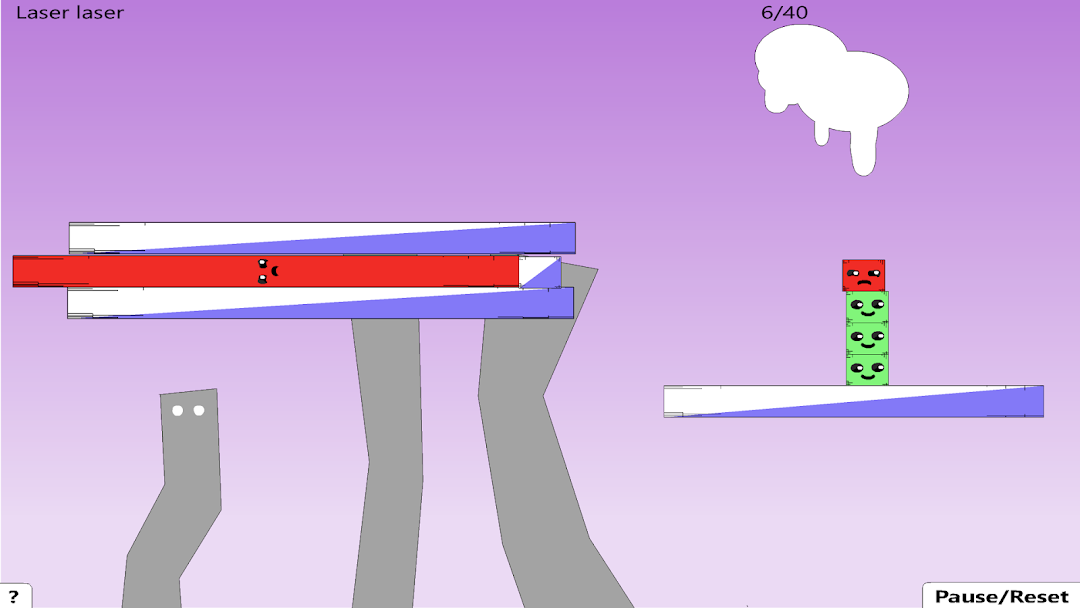
Red Remover Physics PlayerPack是stickmanRagdollGames開發的一款能夠在行動裝置上運行的解謎應用程式,但使用最好的Android 模擬器-雷電模擬器 ,你可以在電腦上下載並暢玩Red Remover Physics PlayerPack。
在電腦上運行Red Remover Physics PlayerPack,您可以在大螢幕上清晰地瀏覽, 而用滑鼠和鍵盤操控應用程式比用觸摸屏鍵盤要快得多,同時你將永遠不必擔心設備的電量問題。
通過多開和同步功能,你甚至可以在PC上運行多個應用程式和帳戶。
而文件互傳功能讓分享圖像、影片和文件也變得非常容易。
下載Red Remover Physics PlayerPack並在PC上運行。享受PC端的大螢幕和高畫質畫質吧!
Red Remover is a puzzle game that was popular on the internet a few years ago. In the game, the player's goal is to remove all of the red shapes from the screen by clicking on them. However, the player must be careful not to remove any green shapes, as these are needed to support the red shapes and keep them from falling off the screen. The game has simple graphics and gameplay, but it can be challenging as the levels progress and the player is required to remove more and more shapes while keeping the green shapes in place. Red Remover was known for its addictive gameplay and simple, yet challenging, puzzle mechanics.Red Remover is a physics-based puzzle game where the goal is to remove all the red shapes from the screen while keeping the green shapes on the screen.
In the game, players must use logic and strategy to figure out how to remove the red shapes without causing the green shapes to fall off the screen. It has simple, yet challenging gameplay and has become quite popular among puzzle game enthusiasts. Do you have any specific questions about the game?
Over 500,000 Red Remover levels have been created. It blows me away how creative some of them are. I hope you enjoy this collection of some of my favorites :)
Instructions
-Remove the red shapes.
-Keep the green shapes on the screen.
-There are 4 planes of gravity, look at the shapes faces to see which way they will fall.