Bus Simulator : MAX是Sir Studios開發的一款能夠在行動裝置上運行的模擬應用程式,但使用最好的Android 模擬器-雷電模擬器 ,你可以在電腦上下載並暢玩Bus Simulator : MAX。
在電腦上運行Bus Simulator : MAX,您可以在大螢幕上清晰地瀏覽, 而用滑鼠和鍵盤操控應用程式比用觸摸屏鍵盤要快得多,同時你將永遠不必擔心設備的電量問題。
通過多開和同步功能,你甚至可以在PC上運行多個應用程式和帳戶。
而文件互傳功能讓分享圖像、影片和文件也變得非常容易。
下載Bus Simulator : MAX並在PC上運行。享受PC端的大螢幕和高畫質畫質吧!
Real Bus Simulator GameBe prepared to create your own coach bus empire in our latest game which comes with super realistic driving physics, endless customization choices, huge open world and fun addictive gameplay.
Advanced Features
Feel like a driver in Bus Simulator Pro in which we aimed to combine the realism and satisfaction of driving a real coach to create the most sophisticated bus simulator and city bus on mobile with our most advanced physics engine to date.
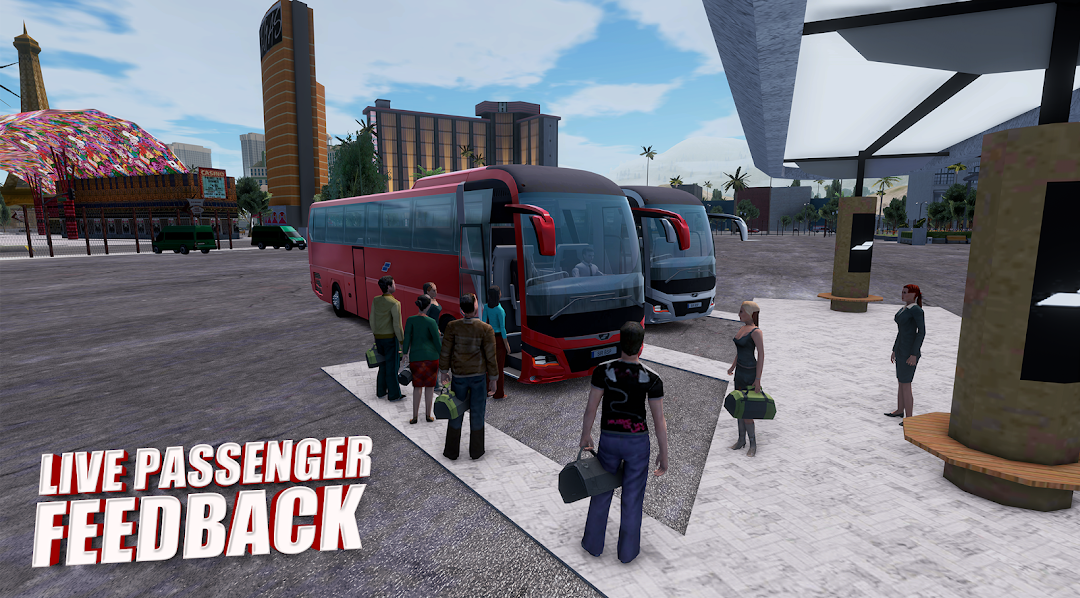
With the help of our most advanced AI, for the first time ever on mobile, you'll get the experience live passenger feedback while driving.
Extensive Customization and New City Maps
Design your own in Bus simulator pro to create the best coach bus with the provided countless customization options of vinyls, rims, platings and paint to create your dream city bus simulator in the driving arena.
The vast open world created to test your best drive skills while providing the real coach bus driving gameplay experience on mobile.
Real Atmosphere
Experience the best realism of driving thanks to our improved graphics, day/night cycle, real life sounds and our most refined pedesterian and best traffic system to date.
Vast Selection
From classic to iconic concept that were created by our talented designers, pick your favorite one to either drive around the city or freely to complete missions to level up and become the king of the road.
Download it now for free and start to play!