Smart IPTV Pro. TV Player M3U8是Uno Apps開發的一款能夠在行動裝置上運行的影片播放與編輯應用程式,但使用最好的Android 模擬器-雷電模擬器 ,你可以在電腦上下載並暢玩Smart IPTV Pro. TV Player M3U8。
在電腦上運行Smart IPTV Pro. TV Player M3U8,您可以在大螢幕上清晰地瀏覽, 而用滑鼠和鍵盤操控應用程式比用觸摸屏鍵盤要快得多,同時你將永遠不必擔心設備的電量問題。
通過多開和同步功能,你甚至可以在PC上運行多個應用程式和帳戶。
而文件互傳功能讓分享圖像、影片和文件也變得非常容易。
下載Smart IPTV Pro. TV Player M3U8並在PC上運行。享受PC端的大螢幕和高畫質畫質吧!
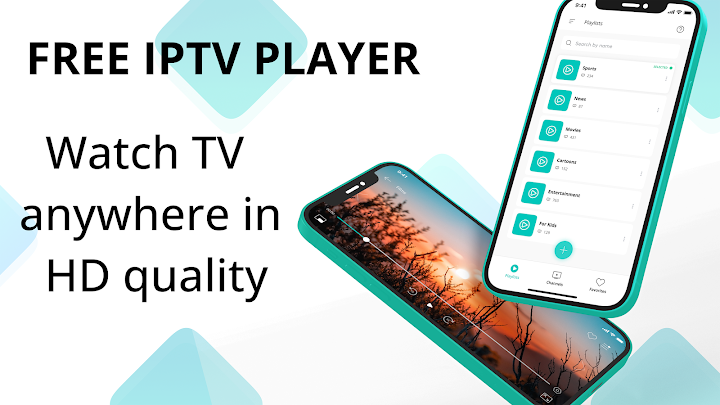
This is a special IPTV Pro for smartphones on Android platform for watching your favorite videos and sports programs. In this smart IPTV player for Android you can create your own playlists, watch broadcast and chat social networks at the same time on IP television.This free TV player has advantages such as:
• convenient management;
• high image quality;
• advanced settings for channel categories;
• modern UI;
• high quality broadcasts;
• picture in picture;
• live broadcast and TV guide (if the source supports);
• unlimited tv channels;
• search and sort support;
• rename your playlists for convenience;
• favorite channels - create your own playlists;
• supports selection of audio track and subtitle;
• support for multiple languages;
You can create an unlimited number of playlists in the Cast IPTV player. They can be sorted in a convenient way. Purchase TV channel lists from your provider or import them and enjoy high quality picture and sound. In free TV pro broadcasting is carried out through an Internet connection.
In HD IPTV smarter you can divide your channels into categories for easy search and give them new names. Live player supports M3U playlists from various providers.
Cast IPTV media player was created for comfortable viewing of videos and sports broadcasts, grouping them into categories: movies, cartoons, sports, news, and so on. IPTV Pro for Android works on both mobile phones and tablets on the Android platform. Live player has flexible settings for each user and allows you to turn on subtitles if they are supported by the selected channel. The audio track selection function is available. You can quickly switch between your playlists or do other things at the same time as watching the broadcast without stopping it thanks to the picture-in-picture function.
The application do not provide or sell content, it is just a player.
To watch IP TV videos, you need to purchase an M3U or M3U8 playlist from your provider and import it into the application.