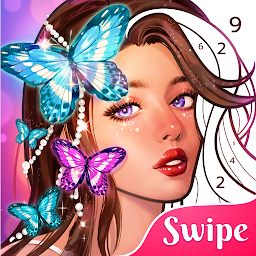


Colorswipes® - Color by Number是Playflux開發的一款能夠在行動裝置上運行的棋牌應用程式,但使用最好的Android 模擬器-雷電模擬器 ,你可以在電腦上下載並暢玩Colorswipes® - Color by Number。
在電腦上運行Colorswipes® - Color by Number,您可以在大螢幕上清晰地瀏覽, 而用滑鼠和鍵盤操控應用程式比用觸摸屏鍵盤要快得多,同時你將永遠不必擔心設備的電量問題。
通過多開和同步功能,你甚至可以在PC上運行多個應用程式和帳戶。
而文件互傳功能讓分享圖像、影片和文件也變得非常容易。
下載Colorswipes® - Color by Number並在PC上運行。享受PC端的大螢幕和高畫質畫質吧!
Coloring games are becoming more and more enjoyable and healthy! What and how?Three simple steps, but such a visual feast! Choose a number, find its place on the picture, and coloring with a little easy gesture of the fingertip, swipe the screen. Did you see the clocks and the time? Happiness takes no account of time. Your pictures are going to be colored in no time. But the joy will stay in your mind as the coloring experience's afterglow. Just let the colors flow! Coloring games that go beyond any frames!
We also have a feature! Props! Swipe or tap the picture, and then, you will get a color bomb! Choose a place and drop it, sparks, fireworks, magic happens - the area where you dropped the bomb becomes colored all over!
Haven't finished your drawing? Colorswipes saved it in My Art so you just come back at any time and paint by number again.
An astonishing visual graphics will let you enjoy watching coloring playbacks. Awesome!
The coloring process became even smoother and more colorful than before! A wide range of categories in our coloring game will surely satisfy your preferences.
People - realistic, futuristic, mystic! And just awesome! Save your pictures, share as postcards(holidays), set as wallpapers!
Animals - just look how cute they are! Awww, I just love them, so will you.
Mandalas - pleasant, healthy, peaceful and relaxing! The way to calm down, forget about any troubles and just rest!
Ornaments - decorate real-life environment with a unique design! Since all pictures are true to life, you can use them for further purposes! Become a designer!
Pattern - for those, who like abstract design, lines, shapes, words and stickers!
Flowers - ah, I wish they could smell as awesome as they look like. Your inner florist will bloom! Color and share, let your circle of friends smile every time they see your drawings!
Fantasy - a magic world! Dive into the unknown! Explore the things that don't really exist... or, maybe exist but we don't see them?
Oil painting - is my favorite! All colors look so natural, juicy, authentic. I'm sure that you will enjoy the coloring process, because you want to see more and more, with each swipe, your picture becomes more and more realistic.
Interior - thinking about your dream house but don't know how to make the dream come true? Open the app and swipe your fingertip!
Anime - for all fans and amateurs of this cute, beautiful and trendy genre! We've got tons of pictures to satisfy you with! I can't write more about them, I need to go and color! Join me!
Easy and smooth, excitement at every fingertip move! Write your coloring book by playing this magnificent coloring game!
Fall is here, winter is coming, but with Colorswipes, you will see only bright lights!







