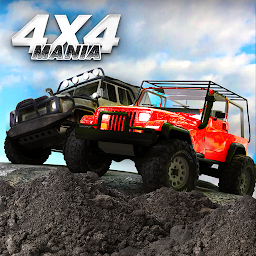


4x4 Mania是Dually Games開發的一款能夠在行動裝置上運行的賽車應用程式,但使用最好的Android 模擬器-雷電模擬器 ,你可以在電腦上下載並暢玩4x4 Mania。
在電腦上運行4x4 Mania,您可以在大螢幕上清晰地瀏覽, 而用滑鼠和鍵盤操控應用程式比用觸摸屏鍵盤要快得多,同時你將永遠不必擔心設備的電量問題。
通過多開和同步功能,你甚至可以在PC上運行多個應用程式和帳戶。
而文件互傳功能讓分享圖像、影片和文件也變得非常容易。
下載4x4 Mania並在PC上運行。享受PC端的大螢幕和高畫質畫質吧!
Awesome off-road trucks that you can upgrade and customize to create the trail rig of your dreams. Mud bogging, rock crawling, bombing around the dunes, off-road racing and even demolition derbies - there's an activity for every four-wheeling lover. Get together with your friends and go wheeling in an online session!Customize your rims, tires, bullbars, bumpers, snorkels, racks, cages, fenders, colors, wraps and more. Install that lift kit, disconnect your sway bar, engage the lockers, air down the tires, and get on the trail! Don't forget to take a pic with Photo Mode to show off that awesome wrap once you get your rig to an impossible place!
Huge and tough off-road levels, Diverse environments: muddy forest, scorching desert, freezing ice lake, bumpy hills, perilous badlands, and a demolition derby arena stadium with a drag strip nearby.
Complete challenging missions, trails, races and derbies to earn in-game points.
More than 25 stock off roaders to build up - trucks and jeeps, to choose from as a base for your 4x4 rig, and dozens of pre-built trucks are waiting for you.
Get behind the wheel of a precision-built four-wheelin' rig and show'em how it's done!
Also featured in the simulator:
- Custom Map Editor
- Multiplayer with chat
- Tons of tough trails to get stuck on
- Mud and tree-felling
- Suspension swaps
- Night mode
- Winching
- Manual diff and transfer case controls
- 4 gearbox options
- All wheel steering with 4 modes
- Cruise control
- Controller support
- 5 separate color adjustments with glossiness ranging from matte to chrome
- Wraps and decals
- Tire deformation when aired down
- High res deformable terrains (on supported devices) so you can truly dig yourself into the snow
- Boulder town in the desert for all your rock crawling needs
- Mud holes
- Stunt Arena
- Drag strips
- Crate finding
- Dumb AI bots and less dumb bots
- Suspension and solid axle simulation
- In-depth graphics settings to support the widest range of devices
- Buttons, steering wheel or tilt steering
- Button or analog slide throttle
- 8 cameras
- Realistic simulator physics
- Mid air controls
- Animated driver model
- Slope gauges
- 4 types of upgrades for your 4x4
- Manual or automatic gearbox, low range with auto diff lockers, handbrake
- Detailed vehicle setup and driving assistance settings
- Damage modelling







