9xbuddy: Video Download Helper是123SUDO開發的一款能夠在行動裝置上運行的工具應用程式,但使用最好的Android 模擬器-雷電模擬器 ,你可以在電腦上下載並暢玩9xbuddy: Video Download Helper。
在電腦上運行9xbuddy: Video Download Helper,您可以在大螢幕上清晰地瀏覽, 而用滑鼠和鍵盤操控應用程式比用觸摸屏鍵盤要快得多,同時你將永遠不必擔心設備的電量問題。
通過多開和同步功能,你甚至可以在PC上運行多個應用程式和帳戶。
而文件互傳功能讓分享圖像、影片和文件也變得非常容易。
下載9xbuddy: Video Download Helper並在PC上運行。享受PC端的大螢幕和高畫質畫質吧!
🚀 9xbuddy: Video Download Helper – Fast, Simple, Powerful 🚀Tired of juggling different tools just to download and manage your favorite online videos? 9xbuddy: Video Download Helper is your all‑in‑one solution for fast, reliable video downloads with smart bulk support, 10x faster speeds, built‑in trimming, and an integrated browser. Download, trim, organize, and enjoy your content offline – all from a single clean, powerful app.
Whether you’re a content creator, developer, power user, or just someone who loves saving videos to watch later, 9xbuddy makes it effortless and efficient. ⚡
🎯 Why 9xbuddy?
Unlike basic downloaders, 9xbuddy is built for real‑world usage:
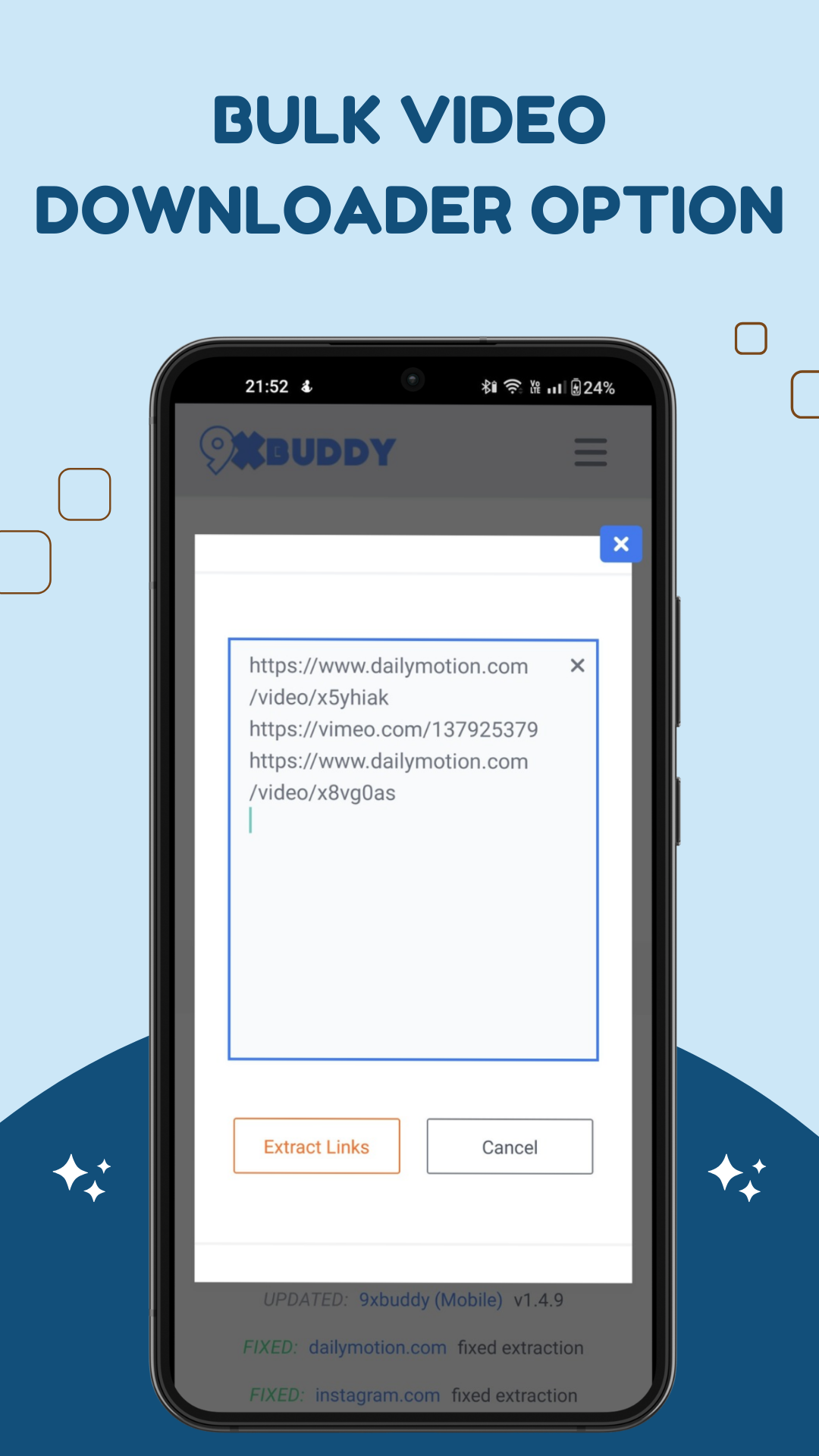
📥 Bulk downloads – Add multiple links and download them together
⚡ 10x faster download engine – Optimized, multi‑threaded speed where supported
✂️ Built‑in trimming – Cut unwanted parts without leaving the app
🌐 Integrated browser – Browse, detect, and download videos in one place
🌙 Dark mode – Perfect for late‑night sessions
🌍 Multi-language UI – Built for a global audience
📊 Smart download manager – Keep everything neat, sortable, and organized
No need to switch between apps, copy links back and forth, or manage messy folders manually. 9xbuddy brings it all together.
📥 Bulk Video Downloader – Productivity Unleashed
Stop the tedious process of downloading videos one by one. 9xbuddy is designed for users who need to manage content efficiently:
- Paste multiple URLs and let the app handle them in bulk
- Pause, resume, and retry downloads from a clean queue
- Let downloads run in the background while you use your phone
⚡ 10x Faster Download Engine – Maximize Your Bandwidth
9xbuddy uses advanced multi-threading to split files into chunks and download them simultaneously (where supported):
- Experience speeds up to 10x faster than basic downloads (network dependent)
- Optimized for unstable mobile networks with smart retry logic
- Effortlessly handle HD videos, long lectures, and large files
🌐 Integrated Browser – Browse, Detect, Download
The built‑in browser is optimized for a smooth media workflow:
- Auto-detect downloadable video streams on supported sites
- One‑tap download buttons when content is detected
- Simple, focused browsing for grabbing the videos you actually want
✂️ Built‑in Video Trimmer – Save Space & Share Faster
Downloaded a long video but only need a short part?
- Trim the start and end with an intuitive slider
- Quickly cut out intros, outros, or unwanted sections
- Create short, shareable clips for social media or messaging apps
📊 Smart Download Manager – Total Control
Keep your downloads and clips organized:
- Sort by date, size, name, or status
- Preview content at a glance
- Clean up old files with one‑tap removal
🌙 Clean UI with Dark Mode
Enjoy a modern interface that stays out of your way:
- Light and dark themes for comfortable viewing
- Simple layout for both beginners and advanced users
- Clear progress indicators and status for each download
🔐 Safe, Secure, & Regularly Updated
We focus on a clean, transparent user experience:
- Regular updates to improve performance and compatibility
- No intrusive background processes or shady tricks
- Designed to respect your device and your time
⚠️ Disclaimer
9xbuddy allows downloading of videos from various online sources. You are solely responsible for ensuring you have the right to download, store, or share content. Please respect copyright laws and do not use this app to download content where it is prohibited by the platform’s Terms of Service.
Download 9xbuddy: Video Download Helper today and take full control of your online video downloads – fast, organized, and always at your fingertips. 📥⚡