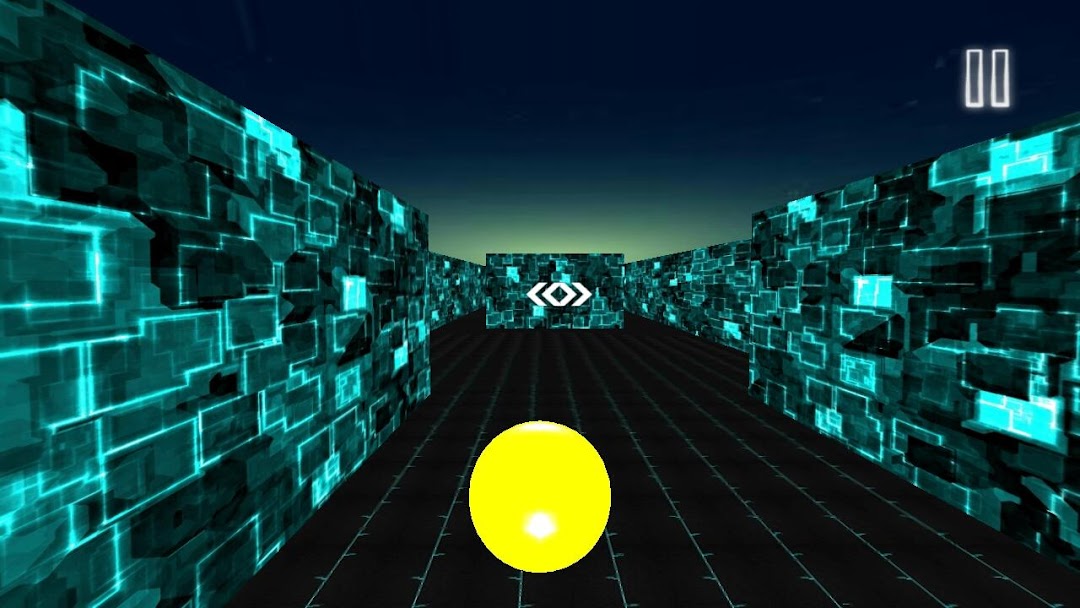
The Rolling Sky是Thinkbox Games開發的一款能夠在行動裝置上運行的街機應用程式,但使用最好的Android 模擬器-雷電模擬器 ,你可以在電腦上下載並暢玩The Rolling Sky。
在電腦上運行The Rolling Sky,您可以在大螢幕上清晰地瀏覽, 而用滑鼠和鍵盤操控應用程式比用觸摸屏鍵盤要快得多,同時你將永遠不必擔心設備的電量問題。
通過多開和同步功能,你甚至可以在PC上運行多個應用程式和帳戶。
而文件互傳功能讓分享圖像、影片和文件也變得非常容易。
下載The Rolling Sky並在PC上運行。享受PC端的大螢幕和高畫質畫質吧!
Sky rolling - Best Ball Games is available for the lovers.The rolling sky is a free to play 3D android game of 2017. Rolling the fast moving ball, beneath sky will be challenging for everyone. In this ball game, ball will roll in speed, you have to keep good control, to avoid smashes. Track is surrounded by walls, with arrows which will guide player to change direction. Best 2017 Games include The Rolling Sky which provides you with best gaming challenges of 2017.
You can enjoy to fullest, if you have craze for rolling games, but no worries if you are new to this, The rolling sky is a free game, which will surely grab your attention. Best scorer of the rolling sky will have highest percentage. So don't wait, avoid clashes of rolling ball, cover more distance with best ball you have selected from panel and you'll be the finest player of rolling ball challenging game.
How to play
Control the rolling ball in speed, use right and left arrows or select tilt, whatever seems easy. Avoid obstacles with moving ball to reach the highest score.
Features
Rolling Sky with rolling ball
Eye-catching graphics
Roll your ball till the point you want
Splendid 3D effects
Chance to challenge your ultimate skills
Smooth controls
Multiple way of controlling rolling sky
Compatibility and support
We're working hard to make our gameplay smoothest of all, so that our users can have the best experience on any android device/tablets. Please report any issue you may experience to thinkboxapps8@gmail.com. Your feedback will be valued.
Follow us on our official twitter & Instagram accounts
https://twitter.com/ThinkboxGame
https://www.instagram.com/thinkboxgames/