Driving Zone: Offroad Lite是AveCreation開發的一款能夠在行動裝置上運行的賽車應用程式,但使用最好的Android 模擬器-雷電模擬器 ,你可以在電腦上下載並暢玩Driving Zone: Offroad Lite。
在電腦上運行Driving Zone: Offroad Lite,您可以在大螢幕上清晰地瀏覽, 而用滑鼠和鍵盤操控應用程式比用觸摸屏鍵盤要快得多,同時你將永遠不必擔心設備的電量問題。
通過多開和同步功能,你甚至可以在PC上運行多個應用程式和帳戶。
而文件互傳功能讓分享圖像、影片和文件也變得非常容易。
下載Driving Zone: Offroad Lite並在PC上運行。享受PC端的大螢幕和高畫質畫質吧!
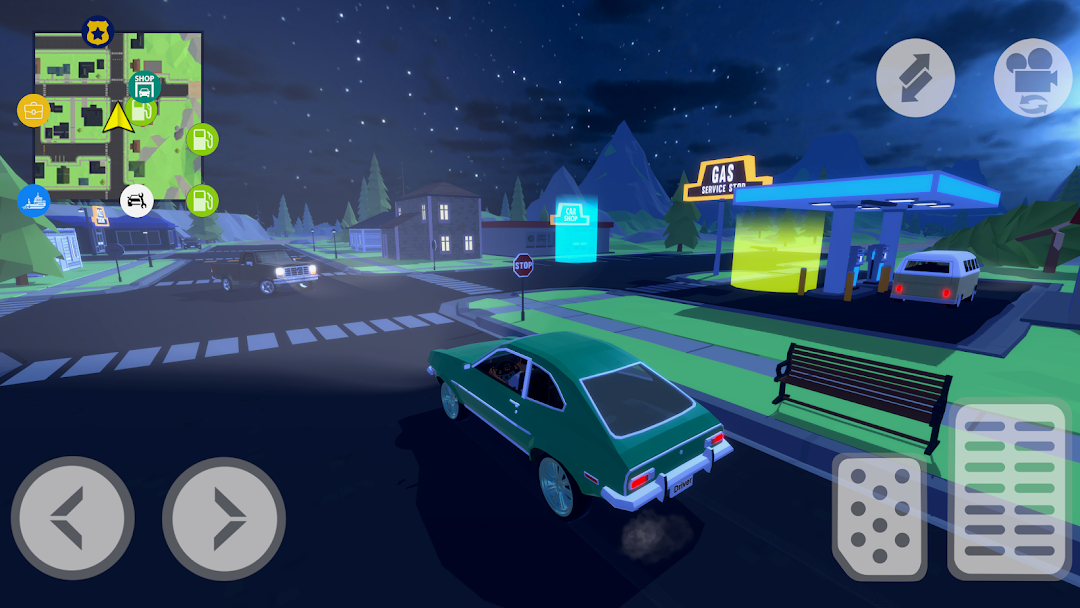
Introducing our new off-road driving story game. You play as a courier who has to deliver parcels to the most remote corners of the island. At the beginning of the game, you get a little money to buy a car, but with each completed task your capital will grow and you will be able to afford cooler cars.The game is a simulator, so do not forget to monitor the fuel level and plan a route through the gas stations, otherwise you will run out of fuel, the car will stall and you will be forced to call a tow truck to deliver the car to the gas station. For planning routes, we made a convenient map with navigation, which displays all available and active tasks. You will often have to drive off the road, but are you ready for it, right?
Cars differ from each other in power, cross-country ability, fuel consumption and, of course, the capacity of the trunk. Pay attention to the requirements for the vehicle in the mission, so that there is enough space in the trunk of the vehicle in which you will carry out the mission for the entire load.
The island is divided into zones: snow-capped mountains and icy road, arid deserts and a forest with lakes and singing birds, where you will also have to drive cars through the mud. Quests are closely intertwined with the types of regions, this will add atmosphere to the gameplay. Each driver will appreciate that depending on the location of the game, off-road riding changes and gives a unique feeling. As in our other driving games, the new one has realistic car handling and the suspension looks and works like in real cars.
Upon reaching a certain level, you will have the opportunity to participate in off-road races. Each race will give you a generous reward for tuning cars or buying new ones at the car dealership. First of all, the game is about cars, so the game has a tuning of cars, it is available in a car service, where you can also change the color of the car. And the city also has your personal garage where all the cars you bought are kept.
Many original missions include those in which you'll save a forest from a fire, help kids on a school bus caught in a blizzard, deliver water to arid regions, and transport fish from the port to shops.
Explore the island carefully and you will find hidden treasures that you can use to pay for various services or spend on a special off-road vehicle. If you manage to find all the treasures, you will receive a Lost Achievement.
Features of the game Driving Zone: Offroad Lite
• Open world
• Customizable driver and car tuning
• Consumable fuel by cars and petrol stations on the map
• Unique tasks
• View from the salon
• Car dealership for the sale of cars, car service and personal garage
• Off-road racing in 4x4 cars
• Free driving possibility
• Dynamic change of day and night
• Ability to play offline