

Devastate是Devastate DEV開發的一款能夠在行動裝置上運行的模擬應用程式,但使用最好的Android 模擬器-雷電模擬器 ,你可以在電腦上下載並暢玩Devastate。
在電腦上運行Devastate,您可以在大螢幕上清晰地瀏覽, 而用滑鼠和鍵盤操控應用程式比用觸摸屏鍵盤要快得多,同時你將永遠不必擔心設備的電量問題。
通過多開和同步功能,你甚至可以在PC上運行多個應用程式和帳戶。
而文件互傳功能讓分享圖像、影片和文件也變得非常容易。
下載Devastate並在PC上運行。享受PC端的大螢幕和高畫質畫質吧!
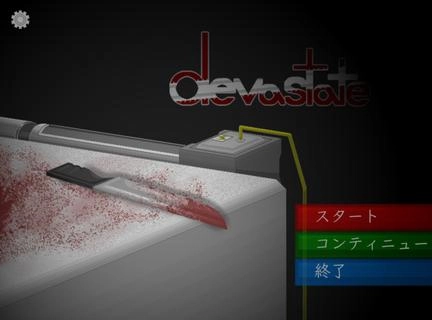
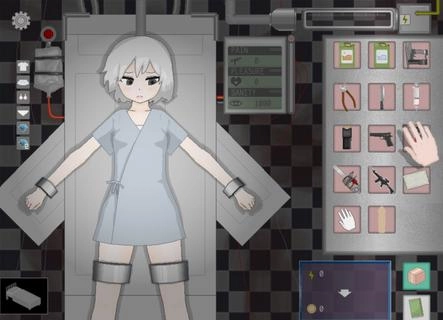
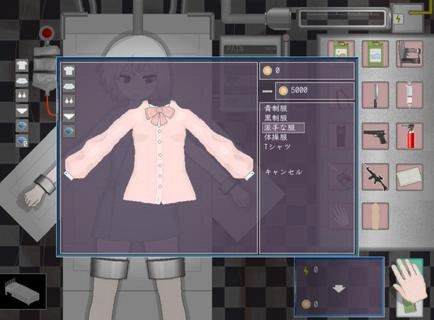
Devastate features a 2D anime art style and focuses on interactive character development. Players can interact with a mysterious, beautiful girl lying in a laboratory bed, learning her story through dialogue and offering companionship and care. Devastate offers items such as stun guns, buckets, and stimulants, each with different functions. A variety of exquisite outfits are also available for customization, allowing players to create adorable looks, strengthen their bond, and help her regain her smile and vitality. Devastate Beginner's Guide1. Interacting with the little girl character is crucial; warm, everyday actions will influence subsequent events.2. Pay close attention to special parameters such as "Sanity" in the game; reaching zero may lead to negative consequences.3. When using items, carefully observe environmental changes and the character's reactions. Strategic item usage will make it easier to control the game's direction. How to unlock outfits in Devastate:1. Tap the little girl to trigger interactive actions such as patting her head and having a conversation;2. When a danger warning appears, tap the corresponding item in the bottom inventory to defend or heal;3. Enter the "Wardrobe" interface and drag and drop outfits onto your character to change clothes. Multiple outfits can be saved;4. Claim daily goals on the "Tasks" or "Events" page and receive coin rewards upon completion;5. Use coins to purchase new outfits in the shop. Some rare outfits require specific conditions to unlock.