CrossCraze Pro是ORT Software開發的一款能夠在行動裝置上運行的益智應用程式,但使用最好的Android 模擬器-雷電模擬器 ,你可以在電腦上下載並暢玩CrossCraze Pro。
在電腦上運行CrossCraze Pro,您可以在大螢幕上清晰地瀏覽, 而用滑鼠和鍵盤操控應用程式比用觸摸屏鍵盤要快得多,同時你將永遠不必擔心設備的電量問題。
通過多開和同步功能,你甚至可以在PC上運行多個應用程式和帳戶。
而文件互傳功能讓分享圖像、影片和文件也變得非常容易。
下載CrossCraze Pro並在PC上運行。享受PC端的大螢幕和高畫質畫質吧!
CrossCraze is a fun, modern twist on the classic crossword game, designed for players who prefer the challenge of a computer opponent. You can also play offline with a friend. This PRO version is completely ad-free and includes 3 extra board styles.◆ 10 SKILL LEVELS
CrossCraze's single-player mode lets you choose a computer opponent to match your own strength. Unlike multiplayer online games, the super-smart AI never cheats, never takes more than a moment to think, never abandons a game before the end, and never sends you inappropriate messages. How refreshing!
◆ 2 GAME MODES
Choose from 'Classic' mode, where new letters must link to existing words, and 'Tile Stacking' mode, where new tiles can also be dropped over old ones.
◆ 28 BOARD LAYOUTS
Board sizes range from the standard 15x15 squares up to 21x21 (these larger boards help reduce the first-move advantage for a fairer game).
◆ 13 BOARD STYLES
Change the board's appearance to suit your taste. You can even customize the colours.
◆ 9 LANGUAGES
Play in English (US or International), French, German, Spanish, Italian, Dutch, Danish, Norwegian or Swedish. CrossCraze's tournament-standard vocabularies include over 5 million words. View English, French and Italian dictionary definitions with a swipe of your finger.
◆ LOST FOR WORDS?
Don't scrabble in the dark. CrossCraze's unique hint system will find you the best word. Allow yourself as many or as few hints per game as you like. CrossCraze can spell out the full word, or just show you where to look.
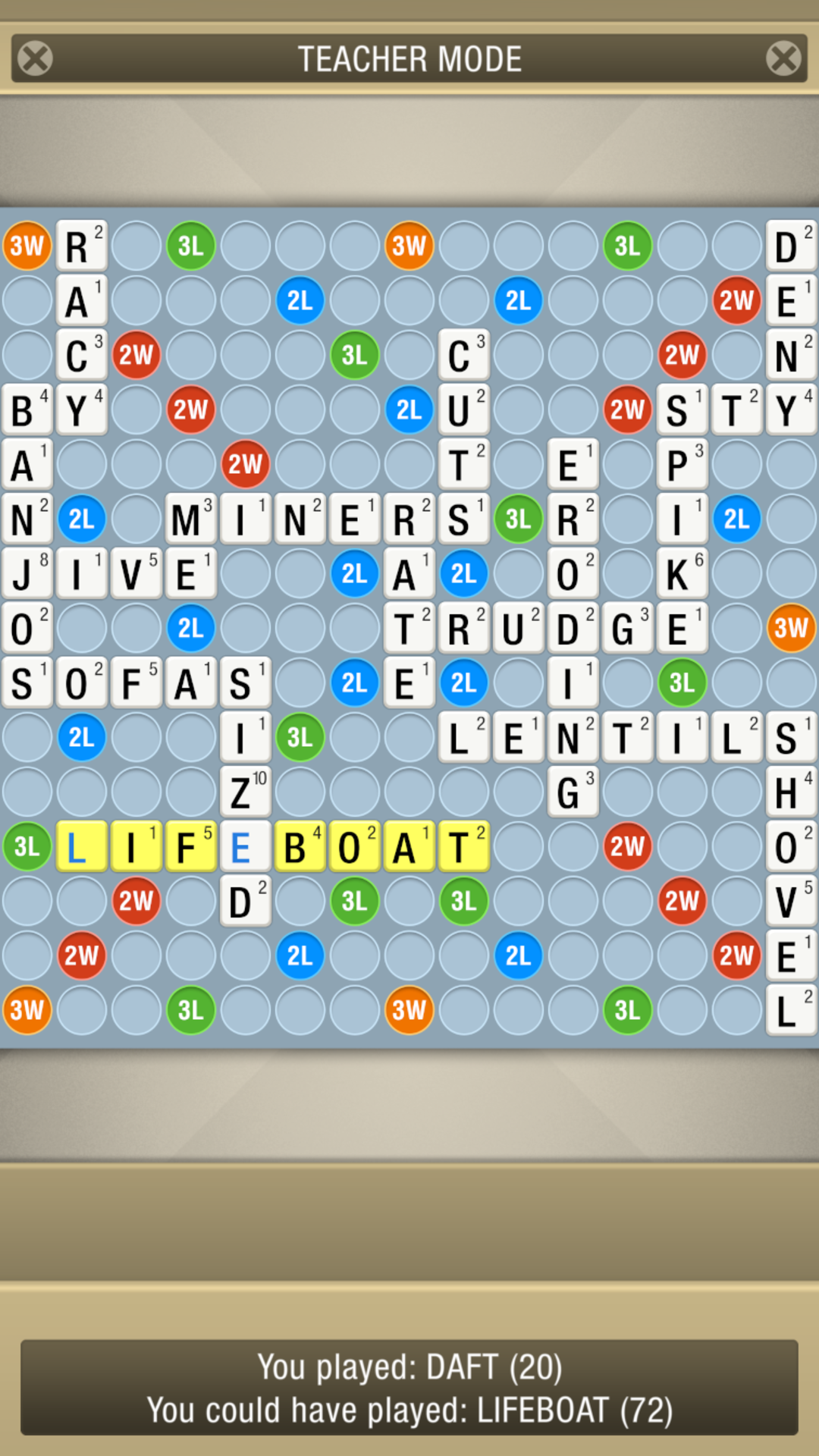
◆ TEACHER MODE
Rewind time to see the best word you could have played.
◆ CUSTOMIZABLE TILE SETS
CrossCraze's tile editor lets you change the frequency and point-value of any letter.
◆ PLAY IT YOUR WAY
Want to play names, or other words that aren't usually allowed? The 'Flexible Vocabulary' option lets you override the default word list. You can even challenge the computer's words.
◆ CHALLENGE YOURSELF
Want more pressure? Set yourself a timer. Make your move before the clock counts down or face the penalty!
◆ NO MORE IMPOSSIBLE RACKS
Choose from three tile allocation methods to suit your ability: 'Random' for pot luck; 'Balanced' for a more predictable draw; or 'Helpful' to maintain an even spread of letters.
◆ SORT OR SCRAMBLE
Automatic rack sorting lets you order your letters alphabetically or split them into vowels and consonants. Alternatively, scramble your rack with a simple double-tap.
◆ PREPARE FOR TOTAL WORD DOMINATION
CrossCraze is a great educational tool for all ages. Boggle your brain, master your spelling, expand your vocabulary, or even practice a foreign language. Plus, it's an excellent training aid for fans of anagrams, word jumbles, crossword puzzles and other classic word-building board games. Play at home or go mobile. Impress your chums and begin your journey from amateur champ to tournament word master today.
https://www.ortsoftware.com/crosscraze.html