
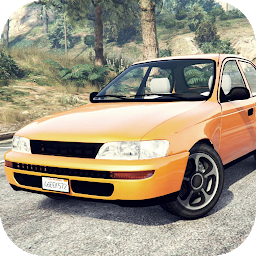


Corolla Drift Simulator是Apaydın Games開發的一款能夠在行動裝置上運行的模擬應用程式,但使用最好的Android 模擬器-雷電模擬器 ,你可以在電腦上下載並暢玩Corolla Drift Simulator。
在電腦上運行Corolla Drift Simulator,您可以在大螢幕上清晰地瀏覽, 而用滑鼠和鍵盤操控應用程式比用觸摸屏鍵盤要快得多,同時你將永遠不必擔心設備的電量問題。
通過多開和同步功能,你甚至可以在PC上運行多個應用程式和帳戶。
而文件互傳功能讓分享圖像、影片和文件也變得非常容易。
下載Corolla Drift Simulator並在PC上運行。享受PC端的大螢幕和高畫質畫質吧!
Reach the Peak of Driving Experience! 🚗Say goodbye to fake simulation games! Developed with a realistic physics engine and detailed car models, the Corolla Drift Simulator will take you to the pinnacle of driving experience!
Game Features:
• 7 different customization options (color, rims, spoilers, and more)
• 6 realistic driving dynamics (drifting, racing, and more)
• 3 weather conditions (rainy, snowy, sunny)
• 23 real car models (including Tofaş, Doğan Şahin, and more)
• 5 camera modes (normal, drift, cockpit, action, and cinematic)
• 4 control options (steering wheel, left-right, automatic throttle, and sensor)
• 6 special features (headlight system, horn, slow-motion, turbo, police siren, and signal systems)
• Realistic suspension system (Up-Down, Left-Right, Camber, Offset and Air Suspension)
• Complete 13 challenging levels and race or get stuck in traffic
• Immersive driving experience with getting in and out of the car
• Advanced color customization system
• Spin system and driving aids like ABS, TCS, ESP, and SHP
• Smooth and realistic driving experience with intuitive controls
Choose iconic car such as Tofaş & Doğan Şahin, Tofaş Murat 124, Tofaş Kartal, Clio, Toros, Accent Admire, Corolla, Civic, S2000, 206, Connect, Doblo, Kangoo, Transit, Linea, Jetta, Megane, Logan, M3 E46, Golf, Scirocco, Amarok, Skyline, Supra, Charger, E500, S600, C63, Camaro, 911, Aventador, and McLaren. Drift or cruise on vast city maps or the hot sands of the desert.
Enjoy racing anytime, anywhere with this game optimized for low-end phones. It’s a perfect choice for relieving stress and having fun! So, what are you waiting for?







