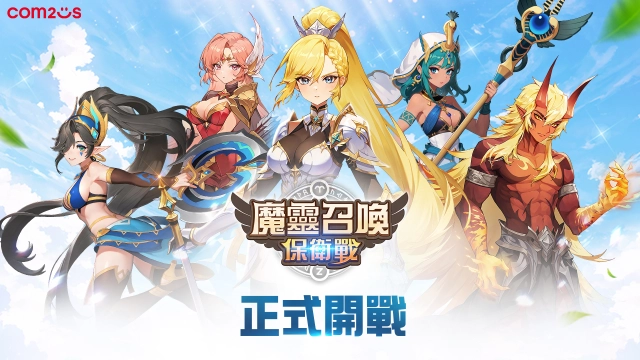
Summoners War: Rush是Com2uS開發的一款角色扮演遊戲,雷電模擬器是在電腦上玩Summoners War: Rush的最佳平台,可提供強大的功能幫助你在Summoners War: Rush中獲得沉浸式的體驗。
當你在電腦上玩Summoners War: Rush的時候,作為一個想要運行新帳號的初始玩家,多開和同步器功能對於首抽是非常有用的。你可以使用他們去複製多個模擬器然後開始同步過程。綁定您的帳號直到您抽到喜歡的英雄。
此外,操作錄製對於那些需要你升級和完成任務的遊戲是一個很棒的選擇!運行同步器並錄製您的操作,然後即時地重複主實例的操作。通過這樣做,您可以同時執行2個或更多的帳戶。你可以總在其他人之前得到你想要的英雄!這要歸功於更快的刷初始和更省時的召喚!現在就開始在電腦上下載和玩Summoners War: Rush吧!
[Recruit Top-Tier Monsters & Receive Support]Summoning Road I - Earn all 14 essential Monsters just by checking in daily!
Summoning Road II - Don't miss out on exclusive gifts to bolster your newly recruited Monsters!
[Challenge Mode]
Dive into the tower defense mode unique to Summoners War: Rush!
Make your tactics count and aim for the best score!
[Land of Conquest - Zodiac Update]
The Zodiac is now available in the Land of Conquest!
Conquer domains and become the master of the constellations!
[World Arena Update]
Vie for supremacy in this global-scale competition mode!
Deploy your best Monsters to dominate your rivals!
Game Features
[Go Idle and Enjoy Immense Progress]
Your Monsters are in action 24/7 even when you're AFK!
Watch them grow stronger through endless progression, even while you’re offline!
[Discover the New Genre of Idle Defense RPG]
It's time to explore strategic tower defense gameplay!
Deploy Monsters and Skill Cards to crush your enemies!
[25 vs. 1 - Face the Mighty Boss in Dragon's Nest]
Bring your 25 best Monsters to take on Naraka, the colossal dragon.
Find the ultimate team combo and prove your mettle in battle!
[Engage in Action-packed PvP]
Jump into 10v10 or a 25v25 Monster showdowns!
Enjoy the thrill of large-scale battles and emerge victorious!
[Land of Conquest - Conquer Zones Aboard an Airship]
Explore a massive map aboard an airship and defeat powerful bosses to conquer a zone.
Above all, you'll earn rewards from the conquered area!
***
[App Permissions]
We request access permissions to provide the following services when using this app:
1. (Optional) Storage (Photos/Media/Files): We request permission to use storage for downloading and storing game data.
- For Android 12 and below
2. (Optional) Notifications: We request permission to publish notifications related to the app's services.
3. (Optional) Nearby Devices: We request permission for Bluetooth usage on some devices.
- BLUETOOTH: Android API 30 and earlier devices
- BLUETOOTH_CONNECT: Android 12
※ Services can still be used without granting optional access permissions, excluding the functionalities associated with those permissions.
[How to Remove Permissions]
You can reset or remove permissions after allowing them as shown below.
1. Android 6.0 or above: Settings 》 Apps 》 Select App 》 Permissions 》 Allow or Remove Permissions
2. Android 6.0 or below: Upgrade the operating system to remove permissions or delete the app
※ If you are using Android 6.0 or below, we recommend that you upgrade to 6.0 or above as you can't change the optional permissions individually.
• Supported Languages: 한국어, English, 日本語, 简体中文, 繁體中文, Deutsch, Français, Español, ไทย, Pусский, हिन्दी
• This app is free-to-play and offers in-app purchases. Purchasing paid items may incur additional fees, and payment cancelation may not be available depending on the type of the item.
• Conditions regarding the usage of this game (contract termination/payment cancelation, etc.) can be viewed in the game or the Com2uS mobile game Terms of Service (available on the website, https://terms.withhive.com/terms/policy/view/M121/T1 ).
• For game-related inquiries, please contact the Com2uS Customer Support (https://customer.withhive.com/com2us/faq/game/1952 ).
***
- Official Brand Site: https://rush.summonerswar.com/