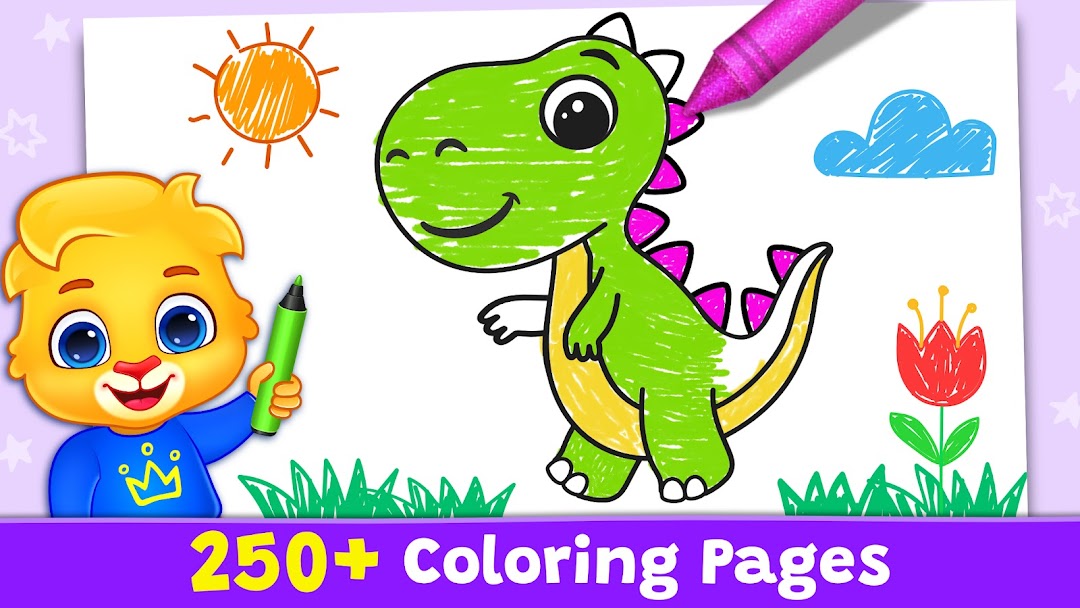
Coloring Games: Color & Paint是RV AppStudios開發的一款能夠在行動裝置上運行的教育應用程式,但使用最好的Android 模擬器-雷電模擬器 ,你可以在電腦上下載並暢玩Coloring Games: Color & Paint。
在電腦上運行Coloring Games: Color & Paint,您可以在大螢幕上清晰地瀏覽, 而用滑鼠和鍵盤操控應用程式比用觸摸屏鍵盤要快得多,同時你將永遠不必擔心設備的電量問題。
通過多開和同步功能,你甚至可以在PC上運行多個應用程式和帳戶。
而文件互傳功能讓分享圖像、影片和文件也變得非常容易。
下載Coloring Games: Color & Paint並在PC上運行。享受PC端的大螢幕和高畫質畫質吧!
Kids love fun coloring games, and this Coloring Game is one of the best free coloring book and painting apps for children!Coloring Games is filled with fun, colorful, and creative drawing and painting tools that help kids of all ages enjoy creating art on your mobile device. There are multiple modes the whole family can enjoy, including paint by numbers, color by numbers, doodling modes, and free coloring books of all types. Whether your kid is a toddler or a preschooler, they're bound to have fun with this free coloring game!
Coloring Games was built specifically for children. It has an easy to understand interface kids as young as one year old can use. They'll have fun using the drawing, painting, and learning games at their disposal, while parents can watch the looks of joy on their faces as they color in the pages with a wide variety of paints.
There are a ton of coloring mini-games to play in Coloring Games, including:
1. Fun Paint - Tap to fill in the blank coloring book pages with a dozen bright and fun colors!
2. Color Fill - Use a wider variety of colors and options to paint the pictures, including stickers, glitter, crayons, and cute patterns.
3. Drawing - Draw on a blank slate with a full palette of colors ready to go.
4. Glow Pen - Paint with neon colors on a dark background. A fun way to create unique artwork!
5. Number Paint - Color-by-numbers to fill in an amazing picture, one paint shade at a time!
Coloring Games comes with a number of features that help adults monitor their child's progress. You can easily add profiles for each child, customize settings to make color activities easier or harder and more. Best of all, the coloring game is completely FREE to play. There are no ads, no in-app purchases, and no paywalls to fight with, just tons of safe, educational fun for kids.
Preschoolers, toddlers, families, and boys and girls of all ages will love the simple but engaging fun of Coloring Games. It's easy to start coloring with just a few taps on the screen, and maybe your child will create a miniature masterpiece!
Note to parents:
When creating this game, our goal was to craft a unique and fun experience perfectly designed for children. We're parents ourselves, and we know how ads and paywalls can get in the way of families enjoying playtime together.
Coloring Games is completely free. You won't find any in-app purchases or third party advertisements, just a great coloring book app you can play with your children. We don't want our kids consuming hundreds of ads while they learn, and we think other parents agree with that, as well!
Thank you for taking the time to experience fun learning and coloring apps with your children. Spread the word so more parents can share wholesome entertainment with their families, too!
Best wishes from the parents at RV AppStudios