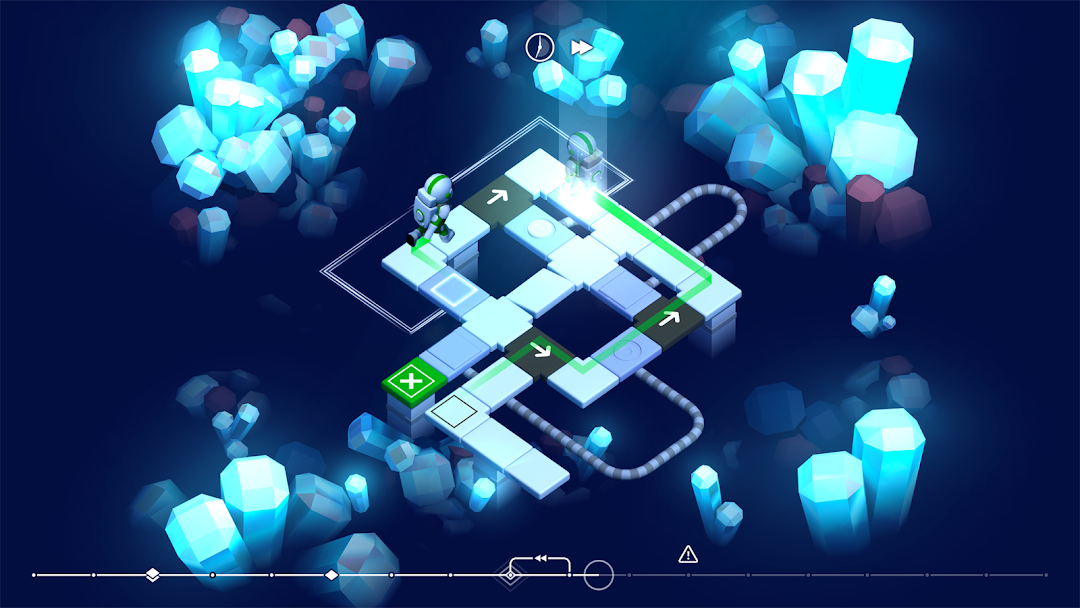
Causality是Loju開發的一款能夠在行動裝置上運行的解謎應用程式,但使用最好的Android 模擬器-雷電模擬器 ,你可以在電腦上下載並暢玩Causality。
在電腦上運行Causality,您可以在大螢幕上清晰地瀏覽, 而用滑鼠和鍵盤操控應用程式比用觸摸屏鍵盤要快得多,同時你將永遠不必擔心設備的電量問題。
通過多開和同步功能,你甚至可以在PC上運行多個應用程式和帳戶。
而文件互傳功能讓分享圖像、影片和文件也變得非常容易。
下載Causality並在PC上運行。享受PC端的大螢幕和高畫質畫質吧!
Causality is a puzzle game about manipulating time, altering the sequence of events and changing the outcome of each level.Set across strange and alien landscapes, help a group of stranded astronauts find a route to safety. Travel through time, work with your past selves and solve paradoxes as you take on this uniquely challenging puzzler.
Each level represents a brief but hazardous moment in time. Levels are completed by guiding each astronaut to an exit that matches their colour, within a limited time frame. When all astronauts reach an exit the level is complete.
Features
- Control time and change the outcome of each level
- Work with your past selves to solve puzzles
- 60 levels to complete
- 13 achievements to unlock
Runner up in the 2017 Google Indie Contest! 🏆
"Causality is a fantastic game, one I've enjoyed my time with, even if it has left my brain a gooey mush. 4.5/5" - TouchArcade
"Causality excels at its unique usage of time loops and vibrant presentation. 9/10" - PocketGamer
"The game has a beautiful aesthetic that is calming, the music and sounds are pure bliss, and the controls are intuitive and responsive." - App Advice