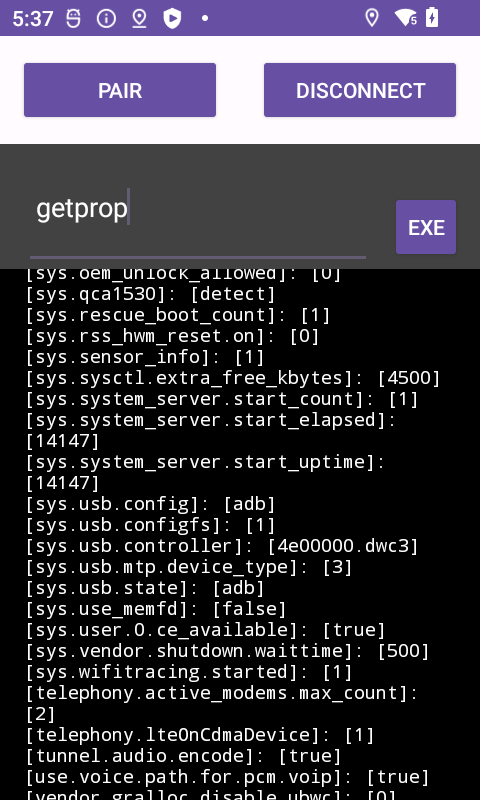
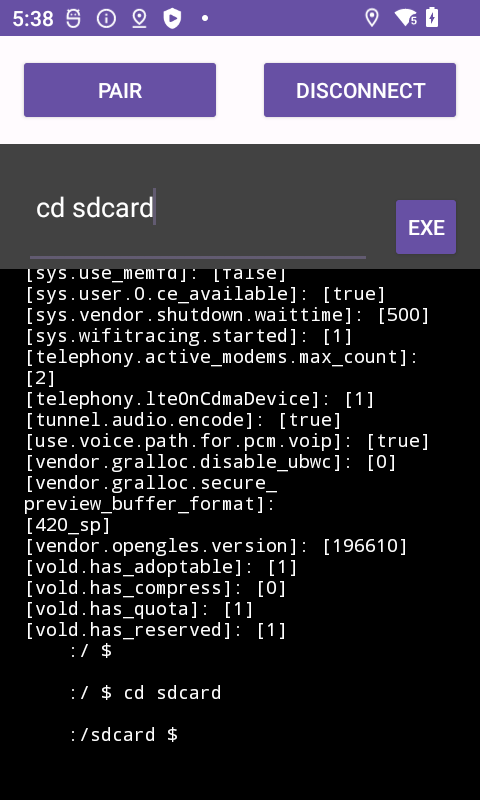
Local ADB Platform Tool Debug是CaTech Idea Limited (HK)開發的一款能夠在行動裝置上運行的工具應用程式,但使用最好的Android 模擬器-雷電模擬器 ,你可以在電腦上下載並暢玩Local ADB Platform Tool Debug。
在電腦上運行Local ADB Platform Tool Debug,您可以在大螢幕上清晰地瀏覽, 而用滑鼠和鍵盤操控應用程式比用觸摸屏鍵盤要快得多,同時你將永遠不必擔心設備的電量問題。
通過多開和同步功能,你甚至可以在PC上運行多個應用程式和帳戶。
而文件互傳功能讓分享圖像、影片和文件也變得非常容易。
下載Local ADB Platform Tool Debug並在PC上運行。享受PC端的大螢幕和高畫質畫質吧!
Local ADB Android brings the power of Android Debug Bridge (ADB) directly to your device. Execute ADB commands effortlessly, manage files, install/uninstall apps, capture screenshots, record screen activity, access system logs, debug apps, and more – all without a computer or external connection.Unlock your device's potential, no matter if you're an Android enthusiast, developer, or tech-savvy user. Embrace the convenience and versatility of ADB operations right on your Android device with Local ADB Android.
Latest Version Added:
Export/Import/Save Output. Edit your own script, copy it to your device, and run it with ease.
📱 For Xiaomi Phone Users:
https://youtube.com/shorts/WzRy9C-pPlY
🎥 Watch this video for Xiaomi phone users: How to Make it Work on Xiaomi. If the app faces issues, don't rush to give a one-star rating. Reach out for assistance.
Note: Android OEMs may tweak firmware, occasionally causing compatibility hiccups with specific brands. However, rest assured, the app runs smoothly on both my high-end Samsung and Xiaomi devices.
✨ New in Version 1.0.6:
Added commonly used ADB commands for your convenience.
📱 If you are affluent and own two Android phones, you can also give this a try. Use one as the host and the other as the slave.
🔗 Remote ADB Shell Debug:
Get it here.
https://play.google.com/store/apps/details?id=com.catech.adbshellconnectpro
🤖 For Android 11 or Above:
1. Enable WiFi Debugging.
2. Open WiFi Debugging screen with the "RECENT" button.
3. Pair your device and enter the pairing code.
4. Connect using the port displayed under "IP address & Port."
OR watch video please:
https://www.youtube.com/watch?v=tL-7ip3iVCI
🤖 For Android 10 or Below:
If your device supports WiFi debugging, it works instantly without pairing. Otherwise, follow these steps:
Set ADB shell with
setprop service.adb.tcp.port 5555.
Disable USB debugging.
Enable USB debugging.
You're all set! For detailed steps, visit here.
https://catechandroidshare.blogspot.com/2024/01/step-1-enable-wireless-debugging-step-2.html